Legal Research Laboratory LLC docs.lawmatic.ru info@lawmatic.ru
HomeAppsLawMatic Chat
NewmacOS · iOS

LawMatic Chat

LawMatic Chat is counsel-grade messaging wired to your LawMatic B2 database — contacts, matters, and tasks stay one tap away inside the thread.

Blend discussions, tasks, and reference data in one surface: Markdown chat, inline links to B2 people and matters, court URLs and case numbers surfaced automatically — without juggling a dozen windows.

Who it is for

  • Lawyers and legal teams already running data inside LawMatic / B2.
  • Teams who need a workflow chat, not a siloed messenger — every message should make it obvious which client, matter, or task you mean.

Context-rich chat

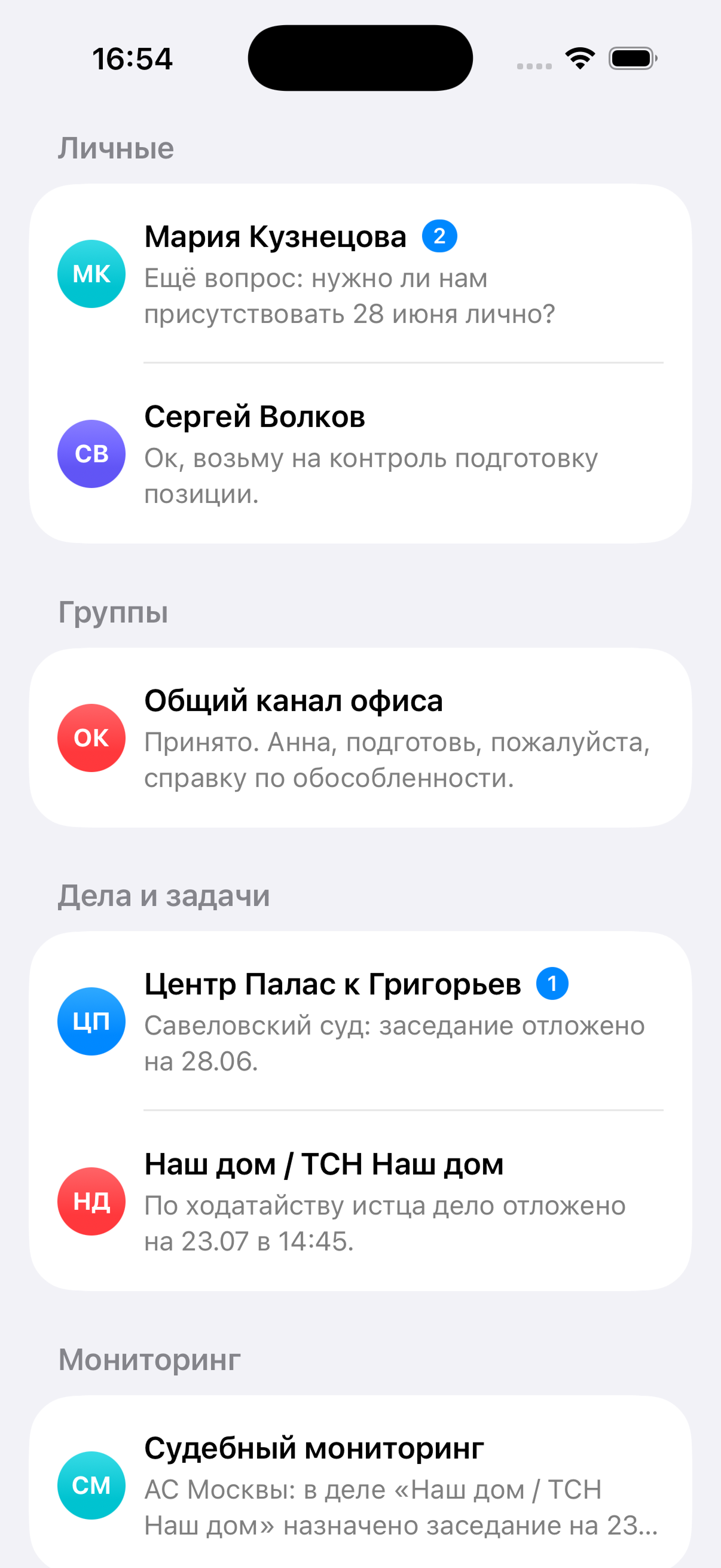
A familiar timeline with Markdown, replies and forwards, an unread divider, and quick navigation inside long threads.

Smart B2 links

Select a surname or title — the app resolves entities against the attached database (contact, matter, task) and inserts internal links without mangling your prose. Search respects Russian morphology quirks (variants, casing, etc.).

Court-aware input

While typing or pasting, the client detects court URLs, generic links, and case numbers and surfaces inspector actions — verify/open a matter, jump to a URL.

Tasks & assignments

Create tasks, assign owners, track status, and tie chat events to work items so conversations don’t drift away from execution.

Multiple workspaces

Beyond chat: task list and board, activity screen, profile and settings — one shell for different moments of the day.

Search & files

Global search across content and records, plus a bound workspace folder for opening files referenced from messages (macOS).

Mac ergonomics

Detach the composer into a floating window (including always-on-top) so you can keep typing while reviewing documents or browsers.

Realtime plumbing

Configurable WebSocket endpoint — groundwork for sync and live timeline updates (architecture is in the project).

Integrations

  • LawMatic B2 SQLite — attach the database file (.sqlite, .db, .dat); connection status and path appear in Settings.
  • Workspace folder — project root for resolving attachment paths and assets.

Platforms

macOS is the primary, full-featured experience.
iOS ships as a sibling target; UI and capabilities evolve alongside shared models and networking.

What's inside

Context-rich chat

Markdown, replies/forwards, unread divider, navigation inside long threads.

B2 smart links

Resolve contacts, matters, tasks from selections; internal links; Russian-aware search.

Court-aware hints

Court URLs, links, case numbers — inspector actions to open or verify.

Tasks

Create, assign, track status; bind chat events to work items.

List, board, activity

One shell: chat, task list & board, activity, profile & settings.

Search & workspace

Global search; workspace folder for files referenced in messages (macOS).

Floating composer

Detachable composer window, including always-on-top typing.

WebSocket ready

Configurable endpoint — groundwork for sync and live timeline updates.

Technical specs

Platforms
macOS (primary) · iOS (evolving)
B2 database
SQLite .sqlite / .db / .dat — status in Settings
Workspace
Project root for attachment paths
Networking
WebSocket endpoint in Settings

Try it free

The installer ships with a demo database. No sign-up, no subscription.

DownloadBuy a key